
The CI Toolbox: Breaking Down the Tools That Power Continuous Integration
A breakdown of CI tools for DevOps engineers. Understand orchestrators, build engines, testing frameworks, security scanners, and artifact registries.
format_list_bulleted
Table of Contents
6 sections
expand_more
If you have been following our the recent newsletter series on CICD, you now know that Continuous Integration (CI) isn't a magical box, and it isn't just a monolithic Jenkins server. It is an event-driven workflow triggered by Git.
But when that Git webhook fires, what actually happens? What software spins up to do the heavy lifting?
To build a modern CI pipeline, you need to wire together several distinct categories of tools. Think of it like assembling a high-performance engine: you need the electronic control unit, the pistons, the filters, and the exhaust.
Here is a breakdown of the core tool categories used in a modern CI pipeline, and the industry-standard players in each space.
1. The Orchestrators (The Pipeline Runners)#
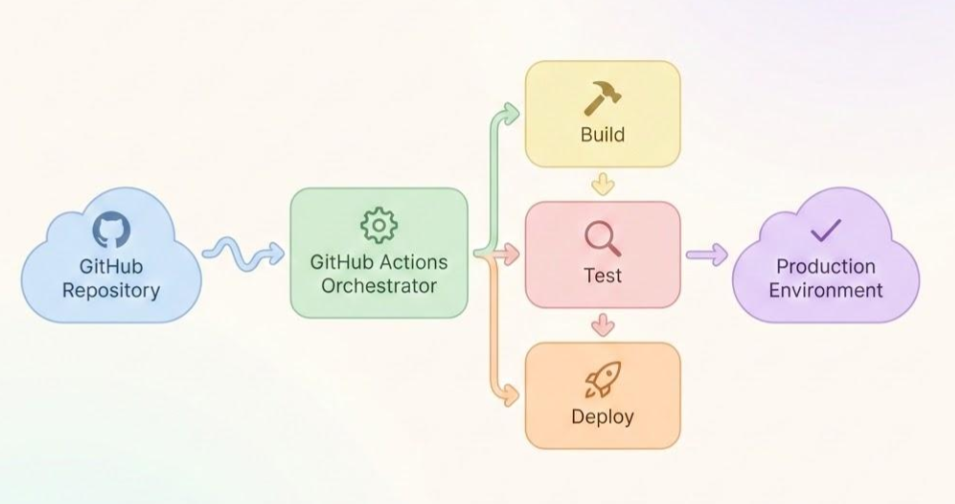
These are the platforms that catch the webhook from Git, read your declarative YAML configuration files, and execute the actual steps of your pipeline. They don't do the compiling or testing themselves; they spin up the compute resources (the runners) and orchestrate the tasks.
- GitHub Actions: Deeply integrated directly into GitHub. It uses YAML to define workflows and boasts a massive marketplace of pre-built actions, making it incredibly fast to set up.
- GitLab CI/CD: A powerhouse orchestrator built directly into the GitLab platform. It is highly regarded for its robust, all-in-one approach to source control and pipeline management.
- CircleCI & Travis CI: Dedicated, standalone CI/CD platforms that integrate with various Git providers. They are known for speed, advanced caching mechanisms, and flexibility.
2. The Build Engines (The Clean Rooms)#
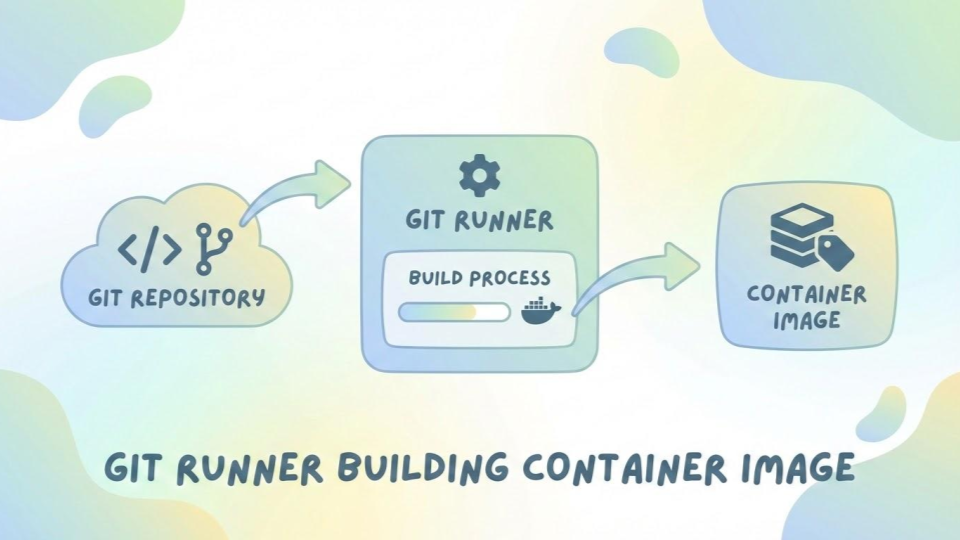
As we discussed in this post, you should never build software directly on the host operating system of your CI runner. You build inside ephemeral containers. The orchestrator calls on a build engine to spin up these "clean rooms."
- Docker: The undisputed heavyweight champion of containerization. It is used heavily in CI to build application images and run isolated test environments.
- Podman: The daemonless alternative to Docker. Because it doesn't require root privileges to run, Podman is rapidly becoming the preferred engine for highly secure, enterprise-grade CI pipelines where minimizing the attack surface is critical.
3. The Testing Frameworks (The Interrogators)#
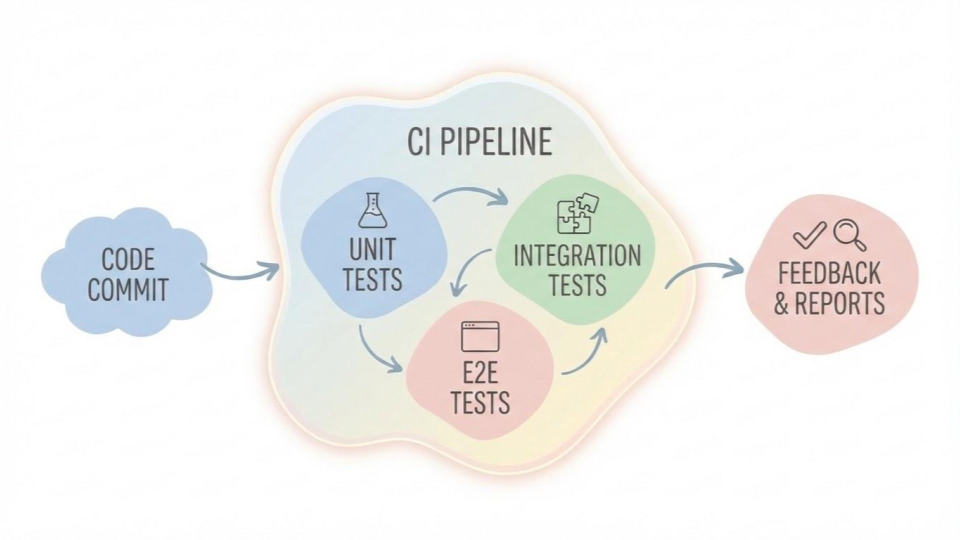
Once the code is inside the container, the CI orchestrator executes your automated tests. The specific tools used here depend entirely on the language your application is written in. The CI pipeline's job is to run these tools and listen for a "pass" or "fail" exit code.
- For Python: Tools like
pytestorunittestwill run through your Python scripts or API backends to ensure your logic holds up. - For Ruby: If you are building a Ruby on Rails application or a custom Gem, the pipeline will execute
RSpecorMinitestto validate your models and controllers. - For Frontend: Tools like
Jest(for JavaScript/React) orCypress(for end-to-end browser testing).
4. Code Quality and Security Scanners (The Inspectors)#
Before code is even tested for functionality, it should be tested for quality and security. These tools act as automated code reviewers.
- Linters: Tools like
RuboCop(for Ruby) orFlake8(for Python) scan your code to ensure it matches the team's formatting and style guidelines, preventing messy, unreadable code from merging. - Static Application Security Testing (SAST): Tools like
SonarQubeor GitHub'sCodeQLscan the raw source code for known vulnerabilities (like hardcoded secrets or SQL injection risks). - Container Scanners: Tools like
TrivyorClairinspect your final Docker or Podman image to ensure the underlying operating system doesn't have unpatched CVEs (Common Vulnerabilities and Exposures).
5. The Artifact Registries (The Vaults)#
The final step of the Continuous Integration phase is securely storing the output. Once the application is built, tested, and scanned, it is packaged as an immutable artifact (usually a container image) and pushed to a registry.
- Cloud-Native Registries: AWS Elastic Container Registry (ECR), Google Artifact Registry, or Azure Container Registry. These are tightly integrated with cloud deployment targets.
- Standalone Registries: Docker Hub or self-hosted instances of Harbor.
Wiring It All Together#
A modern CI pipeline is simply a script that orchestrates these tools. GitHub Actions catches the commit, spins up an Ubuntu runner, uses Podman to build a runtime environment, runs test frameworks test the code, uses Trivy to scan the image for vulnerabilities, and finally pushes the approved image to a container registry.
That is the true distributed nature of CI.

Indika Kodagoda
Indika Kodagoda is a Lead DevOps Engineer, AWS certification instructor, and the creator of CloudQubes. He specializes in cloud infrastructure, automation, and modern Ruby on Rails development. When he’s not deploying code or mentoring aspiring engineers, he’s usually enjoying nature and cycling local gravel paths.